DealCockpit™ MCP : The AI of your choice in your data room
Configuring my MCP
To configure your own MCP, you can follow a step-by-step guide adapted to your AI model. To do so, simply copy-paste the following prompt directly into your LLM:
"Help me connect to DealCockpit, a virtual data room platform, via MCP (Model Context Protocol). Context I can provide: - The MCP server endpoint: https://my.dealcockpit.io/mcp/dealcockpit - Authentication: HTTP Bearer token - I can generate my Personal Access Token from my DealCockpit profile, under the "Tokens MCP" tab. The token is shown once for 60 seconds, then hidden — I'll copy it during that window. What I need from you: 1. Tell me where and how to declare an MCP server in your settings (config file, UI panel, whichever applies to its current version). 2. Show me the exact config snippet to paste, using my token as a Bearer credential. 3. Give me one simple test prompt to run after setup, so I can confirm the connection works (e.g. "list my data rooms"). 4. Tell me what success vs failure looks like. I'm not a developer — keep instructions sequential and beginner-friendly. M&A context, so flag anything I should know about handling confidential data."
What the MCP can do for you
Create your data room index
Configure user groups
Identify missing elements
Manage your Q&A
Get status updates
Analyse activity & statistics
Frequently asked questions
General
Functionality & Technical Questions
What is an MCP ?
MCP stands for Model Context Protocol. It is an architecture that enables an external LLM (Claude, GPT, Gemini, or any other compatible model) to communicate directly with your digital tools in an efficient and seamless manner. It acts as a true gateway.
What is the purpose of the MCP in a data room?
The MCP connects the AI of your choice directly to your data room. In other words, it allows your AI model to operate within the data room (organising your documents, configuring access rights, analysing logs, managing the Q&A) without you having to do everything manually. It’s a layer of intelligent automation, controlled by you, for time-consuming tasks that don’t require your expertise.
How does an MCP differ from AI that is fully integrated into a VDR?
With a built-in AI system, you are restricted to a specific model, with its own rules and infrastructure, without any insight into what is happening to your data. With the DealCockpit™ MCP, you choose the model your organisation has already approved, you define what it can do, and every interaction is logged in your audit trail. You don’t have to relinquish control for the sake of convenience.
Is DealCockpit™ MCP similar to other MCPs?
What AI models are supported?
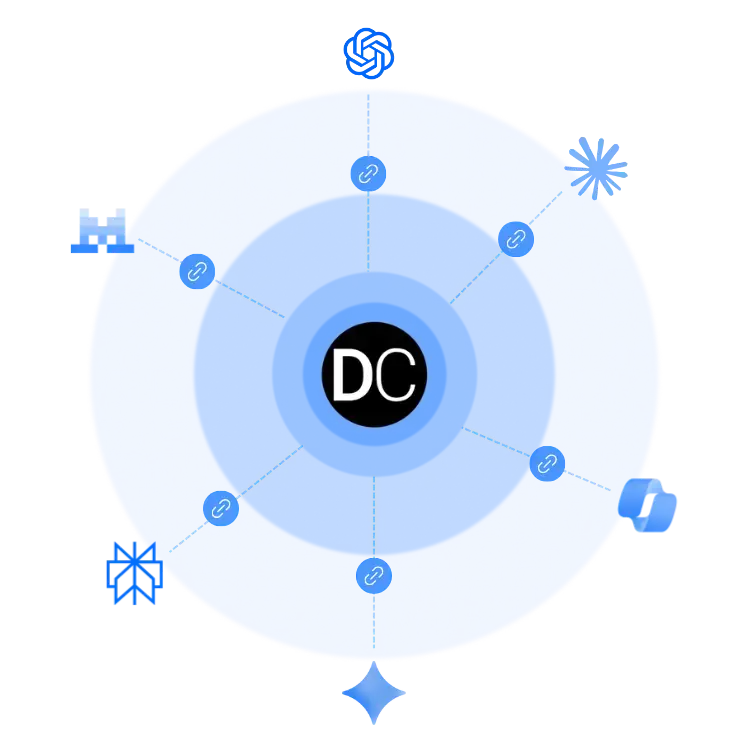
DealCockpit is currently compatible with all the major LLMs on the market:
- Claude (Anthropic)
- ChatGPT (OpenAI)
- Microsoft Copilot
- Gemini (Google)
- Le Chat (Mistral AI)
- Perplexity
For teams deploying their own in-house AI assistants, DealCockpit remains accessible from any MCP-compatible environment (Azure OpenAI, AWS Bedrock, custom agents).
You remain free to choose your AI assistant, without being locked into a single provider.
Does the MCP replace admin work?
It complements it. The MCP handles tasks involving heavy administrative work (sorting, allocating, configuring, monitoring). You remain in charge of every decision: the AI makes suggestions, and you approve them before anything is published or changed. Your role doesn’t disappear; it simply changes in nature. Less admin, more expertise.
On which plans is the DealCockpit™ MCP available?
It might seem like a detail to you, but to us, it means a lot!
Do we need to sign up for a specific offer from our AI provider?
That depends on the provider. Some AI platforms allow you to connect an MCP with their free version.
What kinds of tasks can my AI perform in my data room?
Everything to do with organisation, monitoring and document management. Structuring your index, analysing your logs, managing your Q&A, identifying missing documents, as well as carrying out analyses and compiling statistics. Tasks of high operational value, completed in a fraction of the usual time.
At what stage of the deal is it advisable to activate the MCP?
You can activate the MCP as soon as you open the data room. It is particularly useful during the preparation phase (structuring the index, identifying missing documents, configuring access groups). Once the data room is open, it continues to operate: analysing logs, managing Q&A, and monitoring completeness. You can activate and deactivate it at any time, according to your needs.
Can the MCP be used on multiple deals simultanously?
Yes, you can manage as many data rooms as you like. Simply tell your LLM which one you want to work on.
What happens if my documents are in multiple/different languages?
The LLMs supported by DealCockpit are natively multilingual. Searches take into account the language of each document, without the need for any additional configuration. Cross-border deals included.
Can several admins use the MCP simultaneously on the same data room?
Yes, multiple administrators and users can work simultaneously, with individual tracking in the audit trail: you can see who initiated which AI action, and when.
Is it possible to restrict the MCP to certain actions within the data room only?
Yes, and that’s key! You choose which features are enabled in your MCP settings and can switch them on or off individually.
You define the scope of the AI’s actions, not the other way round.